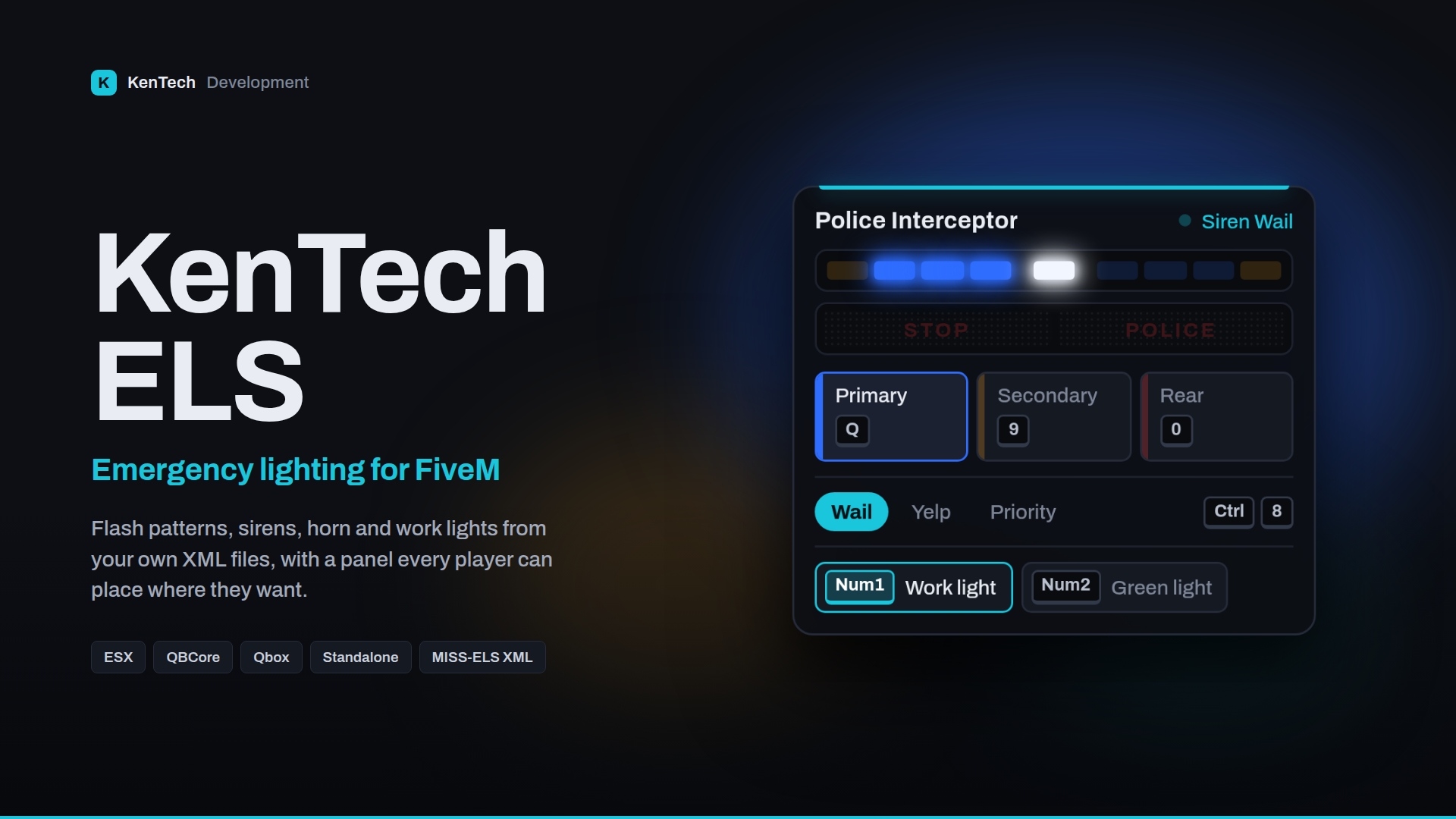
Emergency lighting that matches what you see on the street
KenTech ELS runs flash patterns, sirens, horn, environment light and work lights from your own XML (VCF) files. Every flash is synced between players, the light on the road follows the extras frame for frame, and every player can place the panel wherever they like.
Your existing MISS-ELS XML files work without changes.
What you get
Synced patterns
All players see the same flash at the same moment, on a shared network clock. No network traffic per flash, no drift.
|
|
Environment light
Blue, amber and red light on the road and buildings, drawn in the exact frame the extra turns on. Brightness adapts to day and night.
|
GTA sirens or your own pack
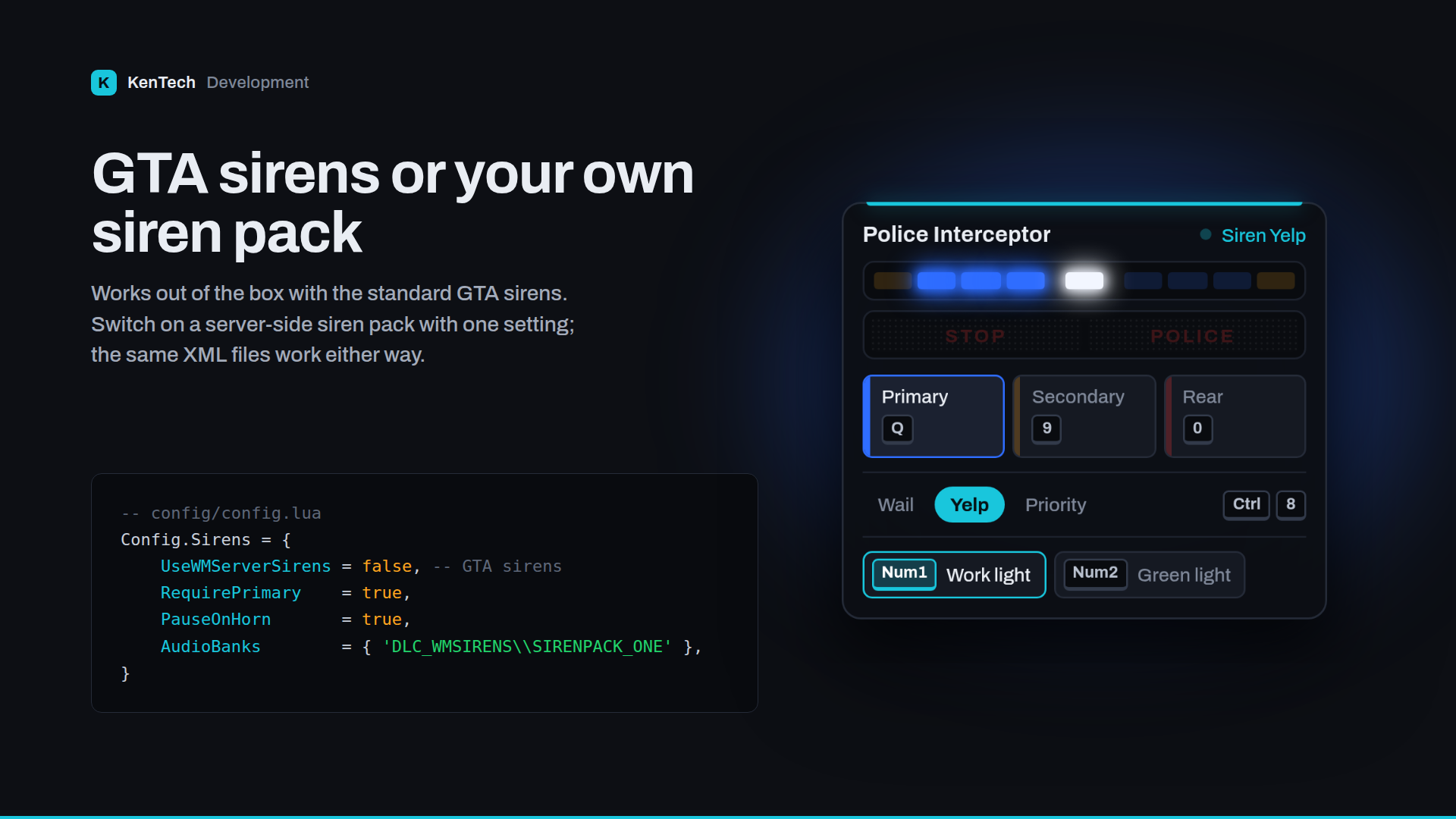
Works out of the box with standard GTA sirens. Turn on WM ServerSirens or any other server-side siren pack with one setting.
|
|
Movable panel
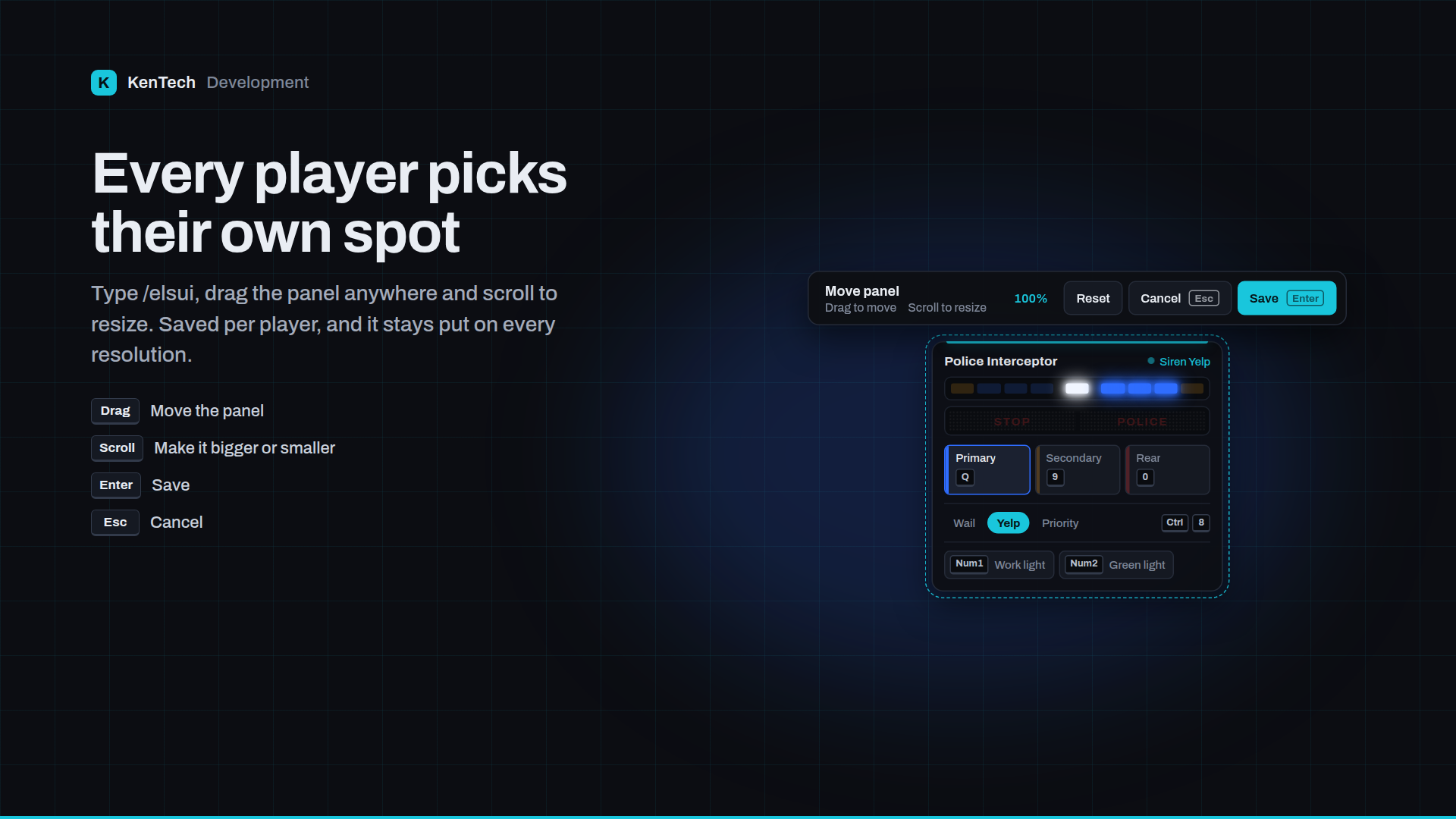
Players type /elsui, drag the panel anywhere and scroll to resize. Saved per player and correct on every resolution.
|
Statics
Work lights, scene lights, green lights, arrow boards and message signs, each on its own key, with light around the vehicle.
|
|
Server-side validation
Seat, job or ACE permission, stage and tone are checked on the server for every action, with rate limiting.
|
The panel
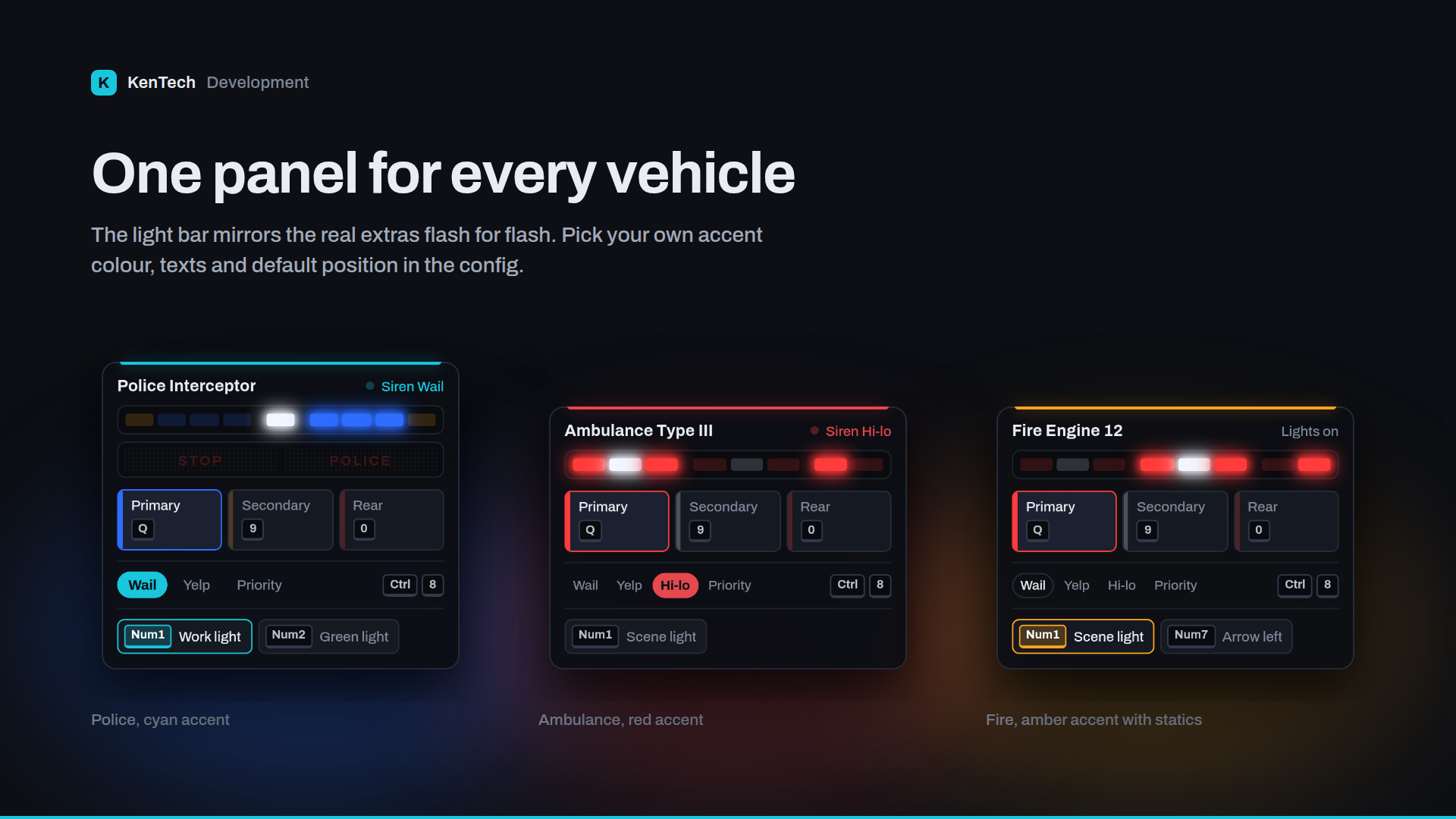
The light bar mirrors the real extras on the vehicle, flash for flash. Below it the player sees which stages are on, the selected siren tone and the statics of that vehicle, each with the key they bound. Rear lights can show as LEDs or as a message board, for example STOP / POLICE.
You choose the accent colour, background opacity, default position, size and all texts. English and Dutch are included, and adding a language is one file.
Sirens
With UseWMServerSirens = false the script uses the standard GTA sirens, so there's nothing else to install. Turn it on to play the sounds from a server-side siren pack. Tones in your XML that need the pack are replaced by GTA tones automatically when it's off, so the same files work both ways.
WM ServerSirens is not included. It's a free resource with a non-commercial licence; download it from its official page if you want to use it.
Build your XML files visually
Don't want to write XML by hand? With our free online configurator you place the lights on a car, pick their colours and a pattern, and see everything flash live, just like the in-game panel. Download the file and drop it on your server. You can also import existing MISS-ELS files and edit them.
Open the configurator
elsconfig.kentechdev.com
Compatibility
| Frameworks | ESX, QBCore, Qbox and standalone (detected automatically) |
| Access | Jobs, ACE permission, both, or everyone. Optional on-duty check |
| XML format | MISS-ELS VCF, plus extra options for side, offset and labels |
| Menu and notifications | ox_lib, lation_ui, framework notifications or GTA feed |
| Sirens | GTA sirens, WM ServerSirens or any server-side siren pack |
| Protection | FiveM Asset Escrow. Config, locales and framework bridge stay open |
Installation
- Download the resource from your CFX portal (Granted Assets) and put
kt-els in your resources folder.
- Stop any other ELS script, then add
ensure kt-els below your framework in server.cfg.
- Put your vehicle XML files in
xmlFiles/. The file name is the spawn name. No XML yet? Make one with the configurator.
- Set your jobs, keys and panel style in
config/config.lua. Every option is explained in the file.
A full README and an example XML with every option are included.
Questions
Do my current XML files work?
Yes, MISS-ELS VCF files load as they are. You can add the extra options later.
Can players change the keys?
Yes. Every key is a FiveM key binding, and the panel always shows the key the player set.
Does it work with my framework?
ESX, QBCore and Qbox are detected automatically. For a custom framework, the job check lives in an open bridge file you can edit.
What does it cost in performance?
The render loop only runs while lights are on nearby and sleeps otherwise. Extras only change when needed, and during big scenes only the closest vehicles draw light and shadows.
Support and updates
Updates are free and arrive in your CFX portal. Need help? Open a ticket in our Discord with your Tebex transaction ID. One licence is for one server; reselling or sharing the resource is not allowed.
